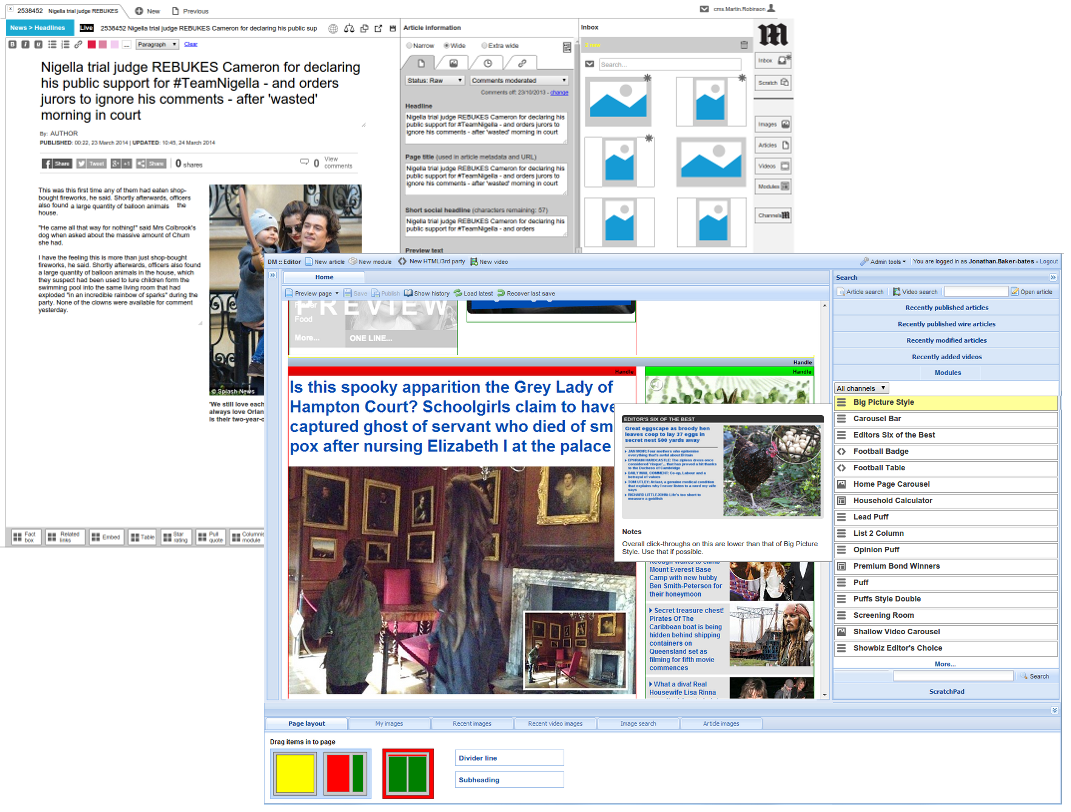
I was given the task of redesigning the entire publishing toolset for MailOnline (currently publishing almost 1,000 stories a day), and assigned to a small team of senior developers as the sole designer on the project.
The incumbent CMS system built circa 2010, with my protototype in the backgorund
With such an important system to improve, one of the first things I did was to arrive at a set of design principles to define purpose and scope. We agreed that while the system would have many new features, they should all be justifiable by one or more of these principles, else they should not be present.
Main Principles
1. Speed over accuracy
MOL is about blasting out content better and faster than the competition. When in doubt, the new system should aim for speed and efficiency over aesthetics of final layout, fit to display device, etc. Those are secondary considerations.
2. Start fast
User training is a very expensive overhead. A new user of the system should be functionally literate in under 180 seconds.
3. Iterative workflow
To support Principle 1, the system should allow the creation of objects first in an approximate state (or assume a “sensible default”), and then provide refinements and enhancements later (eg cropping a picture is optional, adding video metadata can wait, get the text right, request images afterwards, etc.).
4. Simplify the model
Give the user a model of clearly defined “objects” to deal with. Have no more than three of such objects if possible: articles/videos/pictures, modules and screen furniture.
5. Differentiate the roles
We assume the following roles exist. Each role has distinct needs but in some cases overlapping: journalists (those who create articles), channel editors (those who edit channel pages), editors (those who oversee the creation and editing of articles and channel pages), puff editors (may also be the same as channel editors overnight), and object editors (a shared role for the creation of items like polls, link lists, carousels, etc.)
6. Reduce admin overhead
The system should help speed up admin tasks eg. requests to picture desk, legal reviews, finding previous articles on a subject, etc.
7. Simple vocabulary
To reduce the learning curve, vocabulary used by the WPS should be general terminology. Avoid proprietary terms like “drag groups” and “modules” where possible. Where this is unavoidable, provide an explanation.
8. Encourage re-use
To help Principle 1, the system should encourage the adaptation of previously created objects.
9. Inform
The system should show statistics about objects that help user to make decisions about how to edit those or other objects.
Interaction Principles
1. Learn once, use for all
Give each object type predictable interactions and behaviour. Add a module to a page in the same way as adding an article to a channel; edit a puff list in the same way as related links; add videos in the same way as images.
2. User input is sacred
Because failure to save input violates IxD Principle 1, and threatens Architectural Principle 1, the system will not delete, change or otherwise modify content provided by a user without their explicit consent (NB “save” is not the same as “publish”).
3. Be kind, rewind
To protect Principle 1, all actions should be reversible to at least one level. Deletions to have an “undo”, edits to have a roll-back.
4. Accommodate long pages
MOL is characterised by long pages and scrolling items which will only get longer in future. Editors need to be able to navigate these easily, and keep as much of the page in view at any one time.